-1771628551.png)
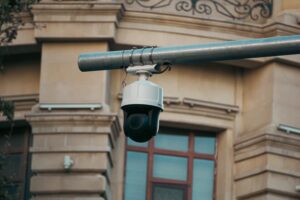
Home security has become a top priority for homeowners across Kenya. Whether you live in a standalone house in Nairobi, a townhouse in Kiambu, an apartment in Mombasa, or a residential estate in Nakuru, installing CCTV cameras at home is one of the most effective ways to protect your family, property, and valuables.
Modern home security cameras are more advanced and affordable than ever before. With features such as remote monitoring, motion detection, night vision, mobile app integration, and cloud storage, today’s smart CCTV cameras allow you to monitor your home from virtually anywhere. Whether you’re at work, travelling, or simply away for the day, a well-installed home surveillance system gives you peace of mind and immediate access to live or recorded footage.
The good news is that many homeowners can complete a DIY CCTV camera installation with basic tools and careful planning. Whether you choose IP CCTV cameras, WIFI CCTV cameras, or a traditional wired system, this guide will walk you through the installation process while helping you choose the best locations for maximum security.
Why Install CCTV Cameras at Home?
Before starting your home CCTV installation, it’s important to understand why surveillance systems have become an essential part of modern home security. CCTV cameras do much more than record video—they help prevent crime, improve safety, and provide valuable evidence when needed.
With increasing demand for home security cameras in Kenya, more families are investing in reliable surveillance systems to protect what matters most.
Deter Burglars and Intruders
Visible CCTV cameras for home act as a powerful deterrent. Most intruders are less likely to target a property where surveillance cameras are clearly installed.
Positioning cameras at entrances, gates, garages, and perimeter walls can discourage attempted break-ins before they happen.
Monitor Your Property from Anywhere
One of the biggest advantages of smart CCTV cameras is the ability to monitor your home remotely.
Using a smartphone app, you can:
– Watch a live video.
– Receive motion detection alerts.
– Review recorded footage.
– Check on children, elderly relatives, or pets.
– Monitor visitors and deliveries.
Whether you’re in Nairobi CBD, travelling to Mombasa, or working in another county, remote access keeps you connected to your home at all times.
Collect Valuable Evidence
If a burglary, vandalism, or other security incident occurs, recorded CCTV footage can provide important evidence for law enforcement and insurance claims.
High-definition IP CCTV cameras capture clear video that makes it easier to identify people, vehicles, and events.
Improve Family Safety
CCTV cameras are not only useful for preventing crime—they also help improve everyday safety.
Parents can monitor children playing outdoors, keep an eye on elderly family members, and verify who is at the front gate before opening the door.
This additional layer of awareness makes CCTV an important part of a comprehensive home security strategy.
Choosing the Best CCTV Cameras for Your Home
Before installing your surveillance system, you’ll need to select the right cameras. The best home CCTV system depends on your property’s size, internet availability, budget, and security requirements.
Understanding the different camera options will help you make a smarter investment.
WiFi CCTV Cameras
WiFi CCTV cameras are among the easiest systems to install because they connect to your home’s wireless internet network.
Advantages
– Quick installation
– Minimal cabling
– Smartphone monitoring
– Motion detection alerts
– Two-way audio on many models
– Easy expansion
These cameras are ideal for apartments, small homes, and homeowners looking for a straightforward DIY setup.
IP CCTV Cameras
IP CCTV cameras transmit digital video over a network, providing excellent image quality and advanced smart features.
They are suitable for homeowners who want a scalable and high-performance surveillance system.
Benefits:
– High-definition video quality
– Remote viewing
– Cloud storage support
– Reliable recording
– Better scalability
– Intelligent motion detection
For many homeowners in Kenya, IP cameras provide the best balance of performance and long-term value.
Wired CCTV Cameras
Traditional wired CCTV systems remain a popular option for larger homes because they offer stable connections and uninterrupted recording.
Although installation requires more planning and cable routing, wired systems are highly reliable and suitable for properties with multiple cameras.
Outdoor CCTV Cameras
Outdoor cameras are specifically designed to withstand Kenya’s changing weather conditions.
Look for models with:
– IP65 or IP66 weather resistance
– Infrared night vision
– Wide viewing angles
– Motion detection
– High-definition recording
These cameras are ideal for gates, driveways, parking areas, gardens, and perimeter walls.
Indoor CCTV Cameras
Indoor cameras monitor living spaces, hallways, staircases, and entry points.
Compact dome cameras or WIFI cameras are excellent choices because they blend well with home interiors while providing wide-angle coverage.
Tools Needed for CCTV Installation
Proper preparation makes installation faster and safer. Before you begin, gather all the necessary tools and equipment so you can complete the project without unnecessary interruptions.
Depending on whether you’re installing a wired or wireless system, your tool list may vary slightly.
You may need:
– Electric drill
– Masonry drill bits
– Screwdrivers
– Measuring tape
– Pencil or marker
– Spirit level
– Ladder
– Cable clips
– Wall plugs
– Mounting screws
– Cable ties
– Ethernet cable (for IP cameras)
– Network switch or PoE switch (if required)
– Power extension cable
– Smartphone with the camera manufacturer’s app
Having the right tools ready before installation helps ensure a neat, secure, and professional-looking result.
Planning Your CCTV Installation
One of the biggest mistakes homeowners make is purchasing cameras before deciding where they should be installed.
Taking time to plan your home CCTV setup helps eliminate blind spots, reduce unnecessary costs, and ensure every critical area is covered.
When planning your installation, ask yourself:
– Which entrances need monitoring?
– Where are valuables stored?
– Are there any hidden access points?
– How many cameras are required?
– Will the cameras receive reliable power and internet connectivity?
– Where will the recorder (NVR or DVR) be located?
– Do you want to monitor your cameras from your phone?
Creating a simple sketch of your property and marking camera positions before drilling any holes can save time and improve overall system performance.
Preparing for a Successful Installation
Installing CCTV cameras at home doesn’t have to be complicated. By choosing the right cameras, gathering the correct tools, and carefully planning camera locations, you’ll lay the foundation for a reliable and effective home surveillance system.
Step-by-Step Guide: How to Install CCTV Cameras at Home
Now that you’ve selected the right CCTV cameras for home and gathered the necessary tools, it’s time to install your system. Proper installation is essential for achieving clear footage, reliable recording, and complete coverage of your property. Taking the time to follow each step carefully will help you avoid blind spots and ensure your home surveillance system performs effectively for years.
Whether you’re installing WIFI CCTV cameras, IP CCTV cameras, or a wired system, these steps will help you complete a successful DIY CCTV camera installation.
Step 1: Plan the Camera Locations
Before drilling holes or mounting cameras, identify the most vulnerable areas around your home.
Priority Locations
– Front gate
– Main entrance
– Back door
– Garage
– Driveway
– Perimeter wall
– Garden
– Balcony
– Side entrances
– Staircases
– Hallways
Walk around your property and ensure every important access point is covered. Try to create overlapping camera views so that if one camera misses an angle, another captures it.
Step 2: Mount the Cameras
Once you’ve selected the best locations, use the mounting template supplied with your CCTV camera to mark the drilling points.
Installation Tips
– Install outdoor cameras between 2.5 and 4 meters above the ground.
– Use wall plugs and quality screws for secure mounting.
– Ensure cameras are level using a spirit level.
– Angle cameras slightly downward to capture faces rather than just the tops of heads.
– Avoid pointing cameras directly into the sun, bright lights, or reflective surfaces.
For outdoor installations, ensure the cameras are protected from direct rain where possible while still maintaining a clear view.
Step 3: Run the Cables (For Wired CCTV Systems)
If you’re installing a wired CCTV system, carefully route all power and video cables before connecting the cameras.
Good cable management not only improves appearance but also protects the cables from accidental damage.
Best Practices
– Route cables through ceiling spaces or conduit where possible.
– Keep cables away from electrical wiring to minimize interference.
– Use cable clips to secure loose cables.
– Label each cable to simplify future maintenance.
– Leave a little extra cable at each camera for adjustments.
If you’re installing Power over Ethernet (PoE) IP CCTV cameras, a single Ethernet cable can provide both power and data, reducing the amount of wiring required.
Step 4: Install the Recorder
Your Network Video Recorder (NVR) or Digital Video Recorder (DVR) stores footage from all connected cameras.
Choose a secure, dry, and well-ventilated location for the recorder, preferably inside a locked room or cabinet.
Connect the recorder to:
– Power supply
– Monitor or television (optional)
– Router (for remote viewing)
– Cameras
– Hard drive (if not pre-installed)
Once everything is connected, power on the system and verify that every camera appears correctly.
Step 5: Connect the Cameras to Your Home Network
If you’re using WIFI CCTV cameras or IP CCTV cameras, connect each camera to your home internet network.
Most modern cameras include a mobile app that guides you through the setup process.
Typical setup includes:
– Scanning the QR code.
– Connecting to your WIFI network.
– Naming each camera.
– Creating a secure password.
– Updating the firmware if available.
Strong passwords and secure network settings help protect your CCTV system from unauthorized access.
Step 6: Test Every Camera
Before considering the installation complete, test every camera thoroughly.
Check:
– Live video quality
– Night vision
– Motion detection
– Recording
– Audio (if available)
– Remote viewing
– Mobile notifications
Walk through each monitored area to ensure movement is detected correctly and that no blind spots remain.
Best Places to Install CCTV Cameras at Home
Camera placement is just as important as camera quality. Even premium home security cameras will not provide complete protection if important areas are left uncovered.
The following locations provide the best balance of security and visibility.
Front Door
Research consistently shows that many break-ins begin at the front entrance. Installing a camera here allows you to monitor visitors, deliveries, and anyone approaching your home.
Choose a camera with:
– HD video
– Night vision
– Motion detection
– Wide viewing angle
Back Door
Back entrances are often less visible from the street, making them attractive entry points for intruders.
An outdoor weatherproof camera helps monitor this vulnerable area day and night.
Garage and Driveway
Vehicles and tools are valuable assets that deserve protection.
Install cameras overlooking:
– Garage entrance
– Driveway
– Vehicle parking
– Carport
This footage can also help identify suspicious activity around your property.
Gates and Perimeter Walls
Monitoring the boundary of your property provides early warning of anyone approaching your home.
For larger compounds common in Nairobi, Kiambu, Nakuru, and other parts of Kenya, perimeter cameras significantly enhance security.
Living Room and Main Hallway
Indoor cameras positioned in common areas help monitor movement inside the house.
Avoid placing cameras in private spaces such as bedrooms and bathrooms to respect the privacy of family members and guests.
Staircases
For multi-storey homes, staircases are natural movement points that can be monitored with a single strategically positioned camera.
How to Connect CCTV Cameras to Your Phone
One of the greatest advantages of modern smart CCTV cameras is the ability to monitor your home from virtually anywhere.
Most manufacturers provide a dedicated mobile app for Android and iPhone devices.
General Setup Process
- Download the manufacturer’s app.
- Create an account.
- Scan the camera’s QR code.
- Connect the camera to WIFI or your network.
- Name each camera according to its location.
- Enable motion notifications.
- Test live viewing and playback.
Once setup is complete, you’ll be able to monitor your home whether you’re at work, travelling, or on holiday.
Common CCTV Installation Mistakes to Avoid
Many homeowners experience poor camera performance because of avoidable installation errors. Understanding these common mistakes will help you build a more reliable and effective home security system.
Installing Cameras Too High
Mounting cameras excessively high may reduce image detail, making it difficult to identify faces. Aim for a height that balances security with clear image capture.
Ignoring Lighting Conditions
Bright sunlight, headlights, or outdoor lighting can create glare and reduce image quality.
Test camera angles at different times of the day before finalizing their position.
Leaving Blind Spots
Failing to cover side entrances, windows, or hidden pathways creates opportunities for intruders. Walk around your property after installation to confirm every vulnerable area is monitored.
Weak WIFI Signal
If using WIFI CCTV cameras, ensure the signal is strong at every camera location.
Where necessary, install a WIFI extender or choose a wired IP camera for more reliable performance.
Using Weak Passwords
Always change the default username and password supplied with your CCTV system.
Use strong, unique passwords and enable two-factor authentication if supported to improve cybersecurity.
Ready for Long-Term Protection?
A carefully installed CCTV system provides far more than recorded footage—it gives you confidence that your home is protected around the clock. By following these installation steps, choosing strategic camera locations, and avoiding common mistakes, you’ll enjoy better coverage and improved peace of mind.
CCTV Maintenance Tips for Long-Term Performance
Installing your home CCTV system is only the beginning. To ensure your CCTV cameras continue delivering clear video, reliable recording, and dependable home security, regular maintenance is essential. Whether you have WIFI CCTV cameras, IP CCTV cameras, or a wired surveillance system, a few simple maintenance practices can significantly extend the lifespan of your equipment and improve overall performance.
Routine inspections also help you identify minor issues before they become expensive repairs, ensuring your home remains protected throughout the year.
Clean Camera Lenses Regularly
Outdoor cameras are constantly exposed to dust, rain, insects, cobwebs, and bird droppings, while indoor cameras may accumulate household dust over time.
Use a clean microfiber cloth to gently wipe each camera lens every few weeks. Avoid using harsh chemicals or abrasive materials that could damage the protective coating.
Clean lenses produce sharper images and improve facial recognition and license plate visibility.
Inspect Camera Mounts
Strong winds, storms, and accidental bumps can alter camera positioning.
Regularly check that:
– Mounting brackets remain tight.
– Cameras still cover the intended viewing area.
– There are no new blind spots.
– The viewing angle has not shifted.
Proper alignment ensures continuous protection.
Test Night Vision
Many security incidents occur after dark, making night vision one of the most important CCTV features.
Periodically verify that:
– Infrared LEDs activate correctly.
– Images remain clear at night.
– Outdoor lighting does not create excessive glare.
If necessary, adjust camera angles to improve low-light performance.
Check Recording and Storage
A CCTV camera is only useful if it’s recording properly.
At least once a month:
– Review recorded footage.
– Confirm the NVR or DVR is functioning.
– Check available storage space.
– Verify cloud backups if enabled.
– Replace failing hard drives promptly.
Testing your system ensures important footage is available when you need it.
Update Firmware
Manufacturers regularly release firmware updates that improve security, fix software bugs, and enhance performance.
Enable automatic updates where available or periodically check the manufacturer’s app for new releases.
Keeping your system updated also reduces cybersecurity risks.
Frequently Asked Questions About Home CCTV Installation
Many homeowners have similar questions when planning a DIY CCTV camera installation. The answers below address common concerns while helping you choose the right surveillance system for your home.
Can I Install CCTV Cameras Myself?
Yes. Many WIFI CCTV cameras and some IP CCTV cameras are designed for straightforward DIY installation. If you’re comfortable using basic tools and following setup instructions, you can install many systems yourself.
For larger homes or more complex wired systems, professional installation may provide better coverage and cable management.
How Many CCTV Cameras Does a Home Need?
The number of cameras depends on your property’s size and layout.
As a general guide:
– Small apartment: 2–4 cameras
– Standard family home: 4–8 cameras
– Large house or maisonette: 8–12 cameras
– Homes with extensive compounds: Additional outdoor cameras may be required to cover gates, driveways, gardens, and perimeter walls.
Where Should CCTV Cameras Be Installed?
The most effective locations include:
– Front door
– Back door
– Main gate
– Garage
– Driveway
– Side entrances
– Perimeter wall
– Living room
– Main hallway
– Staircase
Avoid installing cameras inside bedrooms or bathrooms to protect privacy.
Do CCTV Cameras Need WIFI?
Not always.
– WIFI CCTV cameras require a wireless internet connection for remote viewing and cloud features.
– IP CCTV cameras can operate on a local network.
– Traditional wired systems continue recording even without internet access.
Internet connectivity mainly enables remote monitoring and mobile notifications.
Can I Monitor My CCTV Cameras from My Phone?
Yes. Most modern smart CCTV cameras include mobile apps that allow you to:
– Watch a live video.
– Play back recordings.
– Receive motion alerts.
– Manage multiple cameras.
– Monitor your home from anywhere.
This feature is especially useful for homeowners who travel frequently or spend long hours away from home.
What Is the Best CCTV Camera for Home Security?
The best camera depends on your specific requirements.
Many homeowners choose:
– IP CCTV cameras for superior image quality and scalability.
– WiFi CCTV cameras for quick installation and smartphone access.
– Bullet cameras for outdoor security.
– Dome cameras for indoor monitoring.
A combination of indoor and outdoor cameras usually provides the most comprehensive protection.
Final Thoughts
Installing CCTV cameras at home is one of the most effective ways to improve security, protect your loved ones, and safeguard your property. With the right planning, suitable equipment, and careful installation, you can create a reliable home surveillance system that provides round-the-clock monitoring and valuable peace of mind.
Whether you choose IP CCTV cameras, WIFI CCTV cameras, or a traditional wired setup, success depends on selecting the right camera locations, using quality equipment, and performing regular maintenance. Features such as night vision, motion detection, remote monitoring, and mobile app integration make modern CCTV systems more powerful and user-friendly than ever before.
For homeowners in Nairobi, Kiambu, Mombasa, Nakuru, Kisumu, Eldoret, and across Kenya, investing in a high-quality CCTV system is a smart step toward creating a safer home environment.
Secure Your Home with MK Homestyles
If you’re looking for reliable CCTV cameras in Kenya, MK Homestyles offers a wide range of premium home security solutions designed for modern households. At MK Homestyles Kenya, you’ll find IP CCTV cameras, WIFI CCTV cameras, 4G CCTV cameras, complete surveillance kits, and smart security accessories suitable for homes of every size.
Whether you’re securing an apartment, bungalow, maisonette, or large residential compound, MK Homestyles Agencies Limited provides expert guidance to help you choose the ideal CCTV system for your needs. As a CCTV shop and electrical shop, we are committed to delivering dependable security solutions and smart home products that combine quality, performance, and value.
Visit MK Homestyles Kenya today to explore our latest CCTV cameras, home surveillance systems, and smart security products. Our experienced team can recommend the best setup for your property and help you enjoy reliable protection, whether you’re at home or away.