-1771628551.png)
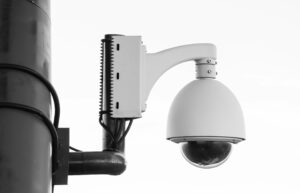
A CCTV camera that keeps going offline can be frustrating, especially when you rely on your security system to monitor your home, business, shop, office or property. One moment the camera is working normally, and the next it shows “offline,” “disconnected,” or “network error.”
So, why does your CCTV camera keep going offline?
The most common causes include an unstable internet connection, weak WiFi signal, power supply problems, router issues, incorrect network settings, IP address conflicts, outdated firmware, overheating and problems with your NVR or PoE connection.
Fortunately, many CCTV camera connection problems can be diagnosed and fixed without replacing the entire security system. This guide explains why your CCTV camera keeps going offline and what you can do to get it back online.
Why Does My CCTV Camera Keep Going Offline?
A CCTV camera needs both reliable power and a stable network connection to remain accessible, particularly for IP and WiFi cameras.
If either connection is interrupted, your camera may appear offline.
The main reasons include:
- Weak or unstable WiFi
- Internet connection problems
- Power supply interruptions
- Router problems
- IP address conflicts
- Outdated firmware
- Overheating
- NVR or PoE connection problems
- Incorrect network configuration
- Faulty camera hardware
Let’s examine each problem and its possible solution.
1. Unstable WiFi or Internet Connection
One of the most common reasons a CCTV camera keeps disconnecting is an unstable network connection.
WiFi cameras depend on your wireless network to communicate with the router and, in many cases, cloud servers or mobile applications. If your internet connection frequently drops, the camera may appear offline.
This can happen when:
– Your internet service is unstable
– The router frequently restarts
– Too many devices are connected
– Network bandwidth is overloaded
– The camera is far from the router
– There is interference affecting the wireless signal
How to fix it
First, check whether other devices connected to the same network are experiencing internet problems. Restart the router and check the camera again.
If the problem continues, consider improving your network coverage or connecting the camera using Ethernet where possible.
2. Weak WiFi Signal
A weak WiFi signal can cause a CCTV camera to disconnect and reconnect repeatedly.
This is particularly common when a camera is installed far away from the router or separated by thick concrete walls, metal structures or multiple floors.
A camera may work perfectly when installed close to the router, but it may become unreliable after being moved to its final location.
How to fix it
Move the router closer to the camera, or use a suitable WiFi extender or mesh system.
For important security cameras, a wired Ethernet connection can provide a more stable connection than WiFi.
3. Power Supply Problems
Your CCTV camera needs a consistent power supply. If the power adapter, cable, socket or power source is faulty, the camera may keep restarting or going offline.
Common signs of a CCTV camera power supply problem include:
– Camera repeatedly turns off
– Camera keeps restarting
– Camera works intermittently
– Night vision causes the camera to shut down
– Camera disappears from the app
Power problems can also occur because of loose connections, damaged cables, incompatible adapters or power fluctuations.
How to fix it
Check the power cable and adapter. Make sure the connections are secure and that the power supply matches the camera manufacturer’s specifications.
If the camera consistently restarts, have the power supply and wiring inspected by a qualified CCTV technician.
4. Router or Network Problems
Your router plays an important role in keeping network-connected CCTV cameras online.
An overloaded router, incorrectly configured or frequently restarting can cause cameras to disconnect.
Try restarting the router and checking whether the camera reconnects automatically.
If several CCTV cameras go offline at the same time, the problem may be with the network rather than the individual cameras.
This is an important troubleshooting clue.
5. IP Address Conflicts
An IP address conflict can occur when two devices on the same network are assigned the same IP address.
When this happens, an IP camera may become inaccessible or repeatedly disconnect.
This problem is more common on systems where network devices have been manually configured or where DHCP settings have changed.
How to fix it
Check the camera’s network settings and the router’s connected-device list. Assigning appropriate static IP addresses or configuring DHCP reservations can help prevent conflicts.
If you’re unsure how to change these settings, it is safer to have a CCTV or network technician configure the system correctly.
6. Outdated CCTV Camera Firmware
Manufacturers periodically release firmware updates to improve camera performance, fix bugs and improve compatibility.
If your camera firmware is outdated, you may experience connection problems, application errors or other unexpected behaviour.
How to fix it
Check the manufacturer’s application or support resources to determine whether a firmware update is available for your camera.
Before updating, make sure you use the correct firmware for the exact camera model. An incorrect firmware installation can cause serious problems.
7. CCTV Camera Overheating
High temperatures can affect electronic equipment, including security cameras.
A camera installed in direct sunlight or an enclosed area with poor ventilation may become excessively hot.
Overheating can cause the camera to restart, freeze or temporarily disconnect.
Outdoor cameras are especially exposed to high temperatures, direct sunlight and other environmental conditions.
How to fix it
Check whether the camera is installed in an appropriate location and has adequate ventilation.
Where possible, avoid installing equipment in locations exposed to excessive heat unless the camera is specifically designed for that environment.
8. NVR or PoE Connection Problems
If you have an IP CCTV system connected to an NVR (Network Video Recorder), a camera can go offline because of problems with the network cable, PoE port, PoE switch or NVR configuration.
PoE, or Power over Ethernet, allows compatible network cables to transmit both power and data to the camera.
A faulty cable or PoE port can therefore interrupt both the camera’s power and network connection.
How to troubleshoot it
Check the Ethernet cable and connections. You can also test the camera using another suitable PoE port if your system allows it.
If only one camera is offline, the problem may be related to that camera, its cable or its specific port.
If all cameras are offline, investigate the NVR, PoE switch, router or power supply.
9. Incorrect Network Settings
Changes to your router, WiFi password or network configuration can cause a CCTV camera to lose its connection.
For example, changing your WiFi password without updating the camera’s saved network credentials can cause it to remain offline.
Other configuration problems may involve:
– Incorrect WiFi password
– Incorrect IP configuration
– DHCP settings
– DNS configuration
– Changed router settings
– Incorrect network mode
How to fix it
Check the camera’s network settings through the manufacturer’s mobile application or management interface.
If necessary, reconnect the camera to the correct WiFi network and enter the updated password.
10. Faulty CCTV Camera Hardware
Sometimes the camera itself is the problem.
A damaged network port, faulty power circuit, water ingress or internal hardware failure can cause persistent connection problems.
If you’ve already checked the internet, WiFi, power, router and cables but the camera continues to go offline, the camera may require professional inspection or replacement.
How to Fix a CCTV Camera That Keeps Going Offline
Before replacing your camera, follow these basic troubleshooting steps:
Step 1: Check the power
Make sure the camera is receiving stable power and that cables are properly connected.
Step 2: Check your internet connection
Confirm that your router and internet connection are working normally.
Step 3: Check WiFi signal strength
If the camera is wireless, check whether it has a strong enough signal at its installation location.
Step 4: Restart the equipment
Restart the camera, router and NVR where applicable.
Step 5: Check cables
Inspect Ethernet, power and PoE cables for damage or loose connections.
Step 6: Check the camera app
Look for network errors, firmware notifications or other alerts in the manufacturer’s application.
Step 7: Check IP settings
Look for IP conflicts or incorrect network configurations.
Step 8: Reset only when necessary
If other troubleshooting methods fail, consider resetting the camera and configuring it again. Remember that a factory reset can erase existing settings.
Why Is My CCTV Camera Offline, but the Internet Is Working?
If your internet works normally, but one CCTV camera is offline, the issue may not be your internet connection.
Possible causes include:
– Weak WiFi signal at the camera
– Camera power failure
– Damaged Ethernet cable
– IP address conflict
– Camera firmware problem
– Faulty camera
– NVR or PoE port problem
If several cameras go offline simultaneously while the internet remains available, investigate the router, NVR, PoE switch or network configuration.
How to Prevent CCTV Cameras From Going Offline
Prevention starts with proper installation.
Choose an appropriate location, use reliable power supplies and quality network cables, and make sure wireless cameras receive a strong WiFi signal.
You should also:
– Keep camera firmware updated
– Protect equipment from excessive heat and moisture
– Use reliable networking equipment
– Avoid overloading your WiFi network
– Inspect cables regularly
– Use suitable surge protection
– Maintain your NVR and storage system
– Monitor your cameras through the appropriate app
For important commercial installations, professional CCTV design and maintenance can also help identify potential problems before they result in prolonged downtime.
When Should You Contact a CCTV Technician?
If basic troubleshooting does not solve the problem, professional assistance may be necessary.
You should consider contacting a CCTV technician if:
– The camera repeatedly goes offline
– Several cameras keep disconnecting
– The NVR cannot detect cameras
– You suspect damaged wiring
– The camera has suffered water or physical damage
– Network configuration is complicated
– The camera needs replacement
A professional can test the power supply, network connectivity, cabling, NVR, PoE equipment and camera hardware to identify the actual cause.
Frequently Asked Questions
Why does my CCTV camera keep going offline?
The most common causes are unstable WiFi, weak network signals, power interruptions, router problems, IP conflicts, outdated firmware, overheating, damaged cables and hardware faults.
Why does my CCTV camera keep disconnecting from WiFi?
A weak WiFi signal, interference, router problems, network congestion, or incorrect WiFi credentials can cause repeated disconnections.
Why is my CCTV camera offline, but the internet is working?
The camera may have a power problem, a weak WiFi signal, an incorrect network configuration, an IP conflict, a cable fault or a hardware problem.
How do I get my CCTV camera back online?
Check the power and network connection, restart the camera and router, inspect cables, verify WiFi credentials and check the camera’s network settings.
Why does my IP camera keep going offline?
IP cameras can go offline because of network instability, IP conflicts, power problems, faulty Ethernet cables, PoE issues, router problems or camera hardware faults.
Why does my NVR say the camera is offline?
Check the Ethernet or PoE connection, camera power, IP address, network settings and NVR configuration. If only one camera is affected, inspect its individual cable and PoE port.
Need Help With CCTV Cameras in Nairobi or Kenya?
If your CCTV camera keeps going offline and troubleshooting has not solved the problem, the issue may require professional assessment.
For reliable CCTV cameras in Nairobi and Kenya, CCTV installation, IP cameras, WiFi security cameras and smart security solutions, MK Homestyles can help you identify the right equipment for your home or business.
Whether you need a replacement CCTV camera, improved network equipment or a complete surveillance system, MK Homestyles Kenya provides CCTV, electrical, smart home and power solutions for residential and commercial applications.
Contact MK Homestyles Agencies Limited for guidance on CCTV cameras, surveillance solutions and security equipment in Nairobi and across Kenya.
A reliable CCTV system is not just about installing cameras—it is about ensuring that your cameras remain connected, powered and ready to protect your property when you need them most.