-1771628551.png)
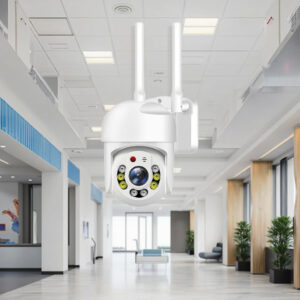
A CCTV system gives you peace of mind by allowing you to monitor your home, shop, office, or compound whenever you need to. But when your CCTV camera repeatedly shows “Offline,” “Disconnected,” or “Device Not Connected,” it can quickly become frustrating. The problem is especially concerning when you rely on remote monitoring to keep an eye on your property when you are away.
The good news is that a CCTV camera going offline does not always mean the camera is faulty. In many cases, the problem is caused by unstable WiFi, a power interruption, a network configuration issue, a weak signal, faulty cables, or even a router that needs restarting.
In this guide, we explain why your CCTV keeps going offline, the most common causes of CCTV connection problems, and the practical steps you can take to get your security camera back online.
Why Does My CCTV Keep Going Offline?
Before replacing a CCTV camera that keeps disconnecting, it is important to understand what is actually causing the problem. A camera can appear offline for several different reasons, and identifying the right cause can save you money and prevent unnecessary replacements.
The most common causes include:
- Unstable WiFi or internet connection
- Weak WiFi signal
- Power interruptions
- Faulty power adapters
- Damaged Ethernet cables
- Router problems
- IP address conflicts
- Network configuration problems
- Insufficient internet bandwidth
- Camera overheating
- Outdated firmware
- Faulty CCTV hardware
- NVR or DVR connection problems
Let’s look at each of these problems in more detail.
1. Your CCTV Has a Weak WiFi Signal
For homeowners and businesses using wireless or WiFi CCTV cameras, signal strength is one of the first things to investigate when a camera repeatedly goes offline.
WiFi cameras need a stable wireless connection to communicate with your router and send video to your phone, computer, or cloud service. If the camera is installed too far from the router, separated by thick concrete walls, metal structures, or other obstacles, the signal may become too weak.
A camera might work perfectly during installation and then start disconnecting intermittently because the wireless signal is barely strong enough to maintain a reliable connection.
How to Fix a Weak CCTV WiFi Signal
Start by checking the camera’s location relative to the router. Temporarily move the camera closer to the router and see if the connection stabilizes.
You can also:
- Move the WiFi router to a more central location.
- Install a WiFi extender or mesh system.
- Reduce physical obstructions between the camera and router.
- Avoid placing the router near large metal objects.
- Use an Ethernet connection where possible.
For outdoor CCTV cameras installed far from the main building, a properly configured outdoor access point or suitable 4G CCTV camera may provide a more reliable solution than a weak indoor WiFi signal.
2. Your Internet Connection Is Unstable
Sometimes the CCTV camera is perfectly fine—the internet connection is the real problem.
If your internet connection repeatedly drops, your CCTV app may report the camera as offline even though the camera itself is still powered and functioning. This is particularly common with cameras that depend on cloud services for remote viewing.
Before blaming the camera, check whether other devices connected to the same network are experiencing internet interruptions.
What to Check When the Internet Is the Problem
Try browsing the internet on your phone using the same WiFi network. If the connection is slow or repeatedly drops, restart your router and monitor the network.
If the problem continues, contact your internet service provider.
Remember that a CCTV camera can remain operational locally while appearing offline remotely. This distinction is important when troubleshooting a CCTV camera that is offline, but the internet is working.
3. The CCTV Camera Is Losing Power
Power problems are another major reason CCTV cameras keep disconnecting.
A camera needs a stable power supply to operate continuously. If the power adapter is faulty, the socket is loose, the cable is damaged, or the electrical supply is unstable, the camera may repeatedly shut down and restart.
You may notice that the camera disappears from the app and then comes back online a few minutes later.
This is often a sign that the camera is losing power rather than simply losing internet connectivity.
Check the CCTV Power Supply
Check that:
- The power adapter is firmly connected.
- The power cable is not damaged.
- The power socket is working properly.
- The adapter matches the camera’s required voltage.
- Outdoor connections are properly protected from moisture.
- Extension cables are not causing excessive voltage drop.
For installations in areas affected by frequent power interruptions, consider a suitable backup power solution. A UPS, backup battery system, or other appropriate power solution can help keep critical security equipment running during short outages.
4. Your Router May Be Causing the Problem
Your router plays a critical role in a WiFi CCTV system because it provides the network connection that allows your camera to communicate with your phone and other devices.
A router that has been running continuously for a long time may occasionally experience connectivity issues. Too many connected devices, overheating, outdated firmware, or configuration issues can also affect performance.
Restart and Check Your Router
Start with the simplest solution: restart the router.
Turn it off, wait for approximately 30 seconds, and turn it back on. Give it a few minutes to reconnect to the internet before checking your CCTV application.
If several CCTV cameras go offline at the same time, the router or network should be one of your first suspects.
If only one camera goes offline while the others remain connected, the problem is more likely to be related to that particular camera, its power supply, WiFi signal, or network configuration.
5. An IP Address Conflict Can Disconnect Your Camera
For IP CCTV systems, network addressing problems can also cause cameras to disappear from the network.
An IP address conflict occurs when two devices on the same network are assigned the same IP address. When this happens, communication can become unstable, causing an IP camera to disconnect or behave unpredictably.
This problem is more common in larger CCTV installations with multiple network devices.
How to Fix an IP Address Problem
Restarting the router and camera may temporarily resolve the issue because the devices can receive new network addresses.
For larger systems, it may be better to configure the CCTV network properly and use appropriate static IP assignments or DHCP reservations.
If you are not comfortable changing network settings, avoid randomly changing IP addresses. An incorrect network configuration can create additional connection problems.
6. Damaged Ethernet or Network Cables
Not every CCTV problem is wireless.
For wired IP cameras, a damaged Ethernet cable, loose connector, poor-quality termination, or water-damaged outdoor connection can cause intermittent connectivity.
The camera may work for several hours before suddenly going offline when the cable connection becomes unstable.
Inspect the CCTV Network Cable
Check both ends of the Ethernet cable and make sure the connectors are properly seated.
Look for:
- Cuts or physical damage
- Loose connectors
- Corrosion
- Water exposure
- Poor cable termination
- Excessive bending
- Damaged outdoor cable runs
If you suspect the cable, temporarily replace it with a known-working Ethernet cable. If the camera immediately becomes stable, the original cable or connector was likely responsible.
7. Your CCTV System May Have a Bandwidth Problem
A modern CCTV system can consume significant network bandwidth, particularly when several cameras are recording or streaming high-resolution video.
For example, multiple HD or 4K cameras transmitting video simultaneously can place considerable demand on your network. If the router or internet connection cannot handle the traffic efficiently, remote viewing may become unreliable.
This does not necessarily mean you need a faster internet package. The problem could also involve your internal network.
Reduce Unnecessary Network Load
Check how many devices are connected to your router and whether other devices are using significant bandwidth.
You can also review your CCTV camera’s video settings. If appropriate, reducing streaming resolution, frame rate, or bitrate can reduce network demand.
For larger CCTV installations, proper network planning is essential.
8. Your CCTV Camera May Be Overheating
CCTV cameras installed outdoors are exposed to heat, direct sunlight, dust, and changing weather conditions. Poor ventilation or prolonged exposure to high temperatures can cause some cameras to overheat.
An overheating camera may become unstable, restart automatically, or disconnect from the network.
If the camera consistently goes offline during the hottest part of the day and returns later, the temperature should be investigated.
How to Prevent CCTV Overheating
Install the camera according to the manufacturer’s recommendations. Where appropriate, position it away from prolonged direct sunlight and make sure ventilation openings are not blocked.
For outdoor installations, choose cameras designed for outdoor environments and suitable operating temperatures.
9. Your CCTV Firmware or App May Need an Update
Technology does not remain static. CCTV manufacturers regularly release firmware updates to improve security, compatibility, stability, and performance.
An outdated camera firmware or mobile application can occasionally cause compatibility or connectivity issues.
Check for CCTV Updates
Open the manufacturer’s CCTV application and check whether an update is available for the camera or app.
Before updating firmware, make sure the camera has a stable power supply and network connection. Interrupting a firmware update can cause serious problems.
10. Your NVR or DVR Could Be the Problem
For wired CCTV systems, the camera may not actually be responsible for the offline status. The problem could be with the NVR or DVR.
If a camera connected to an NVR repeatedly shows “Offline,” check the network connection between the camera and recorder. For systems using Power over Ethernet (PoE), also check the relevant PoE port.
Check the NVR or DVR
Look at whether:
- Other cameras are working normally.
- Only one channel is offline.
- The NVR has network connectivity.
- The Ethernet cable is properly connected.
- The PoE port is functioning.
- The NVR storage or system status shows errors.
If multiple cameras suddenly disappear, investigate the recorder, network switch, PoE system, or power supply before replacing individual cameras.
11. Why Does My CCTV Disconnect After a Power Outage?
Power outages deserve special attention because they can affect several parts of a CCTV installation at the same time.
When power returns, cameras, routers, NVRs, and network equipment may not all restart in the same way. A router might take several minutes to reconnect to the internet while the camera has already powered back on.
This can temporarily make the camera appear offline.
In areas where power interruptions are frequent, a reliable backup power arrangement can make a significant difference. Keeping the CCTV camera, router, and recorder on appropriate backup power helps maintain surveillance and allows the system to reconnect more reliably after an outage.
A Simple CCTV Troubleshooting Checklist
When your CCTV camera goes offline, avoid immediately resetting or replacing it. A systematic check is usually faster and safer.
Start with the basics and work your way toward more technical causes.
Step 1: Check the Camera’s Power
Confirm that the camera is switched on and receiving stable power.
Step 2: Check Your Internet
Test whether other devices can access the internet through the same network.
Step 3: Restart the Router
Power-cycle the router and wait for the internet connection to return.
Step 4: Restart the Camera
If the camera has stable power, restart it according to the manufacturer’s instructions.
Step 5: Check WiFi Signal
Move the camera closer to the router temporarily or check the signal strength in the camera app.
Step 6: Inspect Cables
For wired cameras, check Ethernet cables, connectors, PoE ports, and network switches.
Step 7: Check the CCTV App
Make sure you are using the correct account and that the camera has not been removed from the application.
Step 8: Check Firmware
Look for available firmware or app updates.
Step 9: Check the NVR/DVR
If you have a recorder-based system, check its network and camera-channel status.
Step 10: Consider Hardware Failure
If everything else appears normal but the same camera repeatedly goes offline, the camera, adapter, cable, or network port may need professional testing.
When Should You Replace a CCTV Camera?
Not every offline camera needs to be replaced. However, repeated failures despite stable power, good network connectivity, working cables, and correct configuration can indicate hardware failure.
You should consider a professional assessment if the camera:
- Constantly restarts.
- Becomes unusually hot.
- Fails on multiple networks.
- Cannot maintain a connection despite strong WiFi.
- Has visible physical or water damage.
- Has a faulty power input.
- Continues showing offline after proper troubleshooting.
Replacing a faulty camera with a more suitable model may be more cost-effective than repeatedly repairing an unreliable system.
How to Prevent CCTV Cameras From Going Offline
Once you have fixed the problem, prevention is the next step. A properly designed CCTV system should not require constant reconnection or troubleshooting.
Start with reliable equipment and install it correctly. Choose cameras appropriate for their environment, provide stable power, ensure adequate WiFi or wired network coverage, and protect outdoor connections from moisture.
For larger properties, consider wired IP cameras, properly planned network infrastructure, PoE systems, or 4G CCTV cameras where conventional WiFi coverage is difficult.
Regularly inspect cables, power adapters, camera mounting points, network equipment, and software updates. Preventive maintenance can identify small problems before they become complete CCTV failures.
Frequently Asked Questions About CCTV Cameras Going Offline
Because CCTV connection problems are common, many homeowners and businesses have similar questions. The answers below address some of the most frequent concerns.
Why does my CCTV keep going offline?
Your CCTV may keep going offline due to weak WiFi, unstable internet, power interruptions, faulty cables, router issues, IP address conflicts, outdated firmware, overheating, or hardware failure.
Why does my CCTV camera keep disconnecting from WiFi?
A weak WiFi signal, interference, router issues, network congestion, or incorrect WiFi configuration can cause a CCTV camera to disconnect repeatedly.
Why is my CCTV offline, but the internet is working?
If the internet works on other devices but one CCTV camera remains offline, check the camera’s power supply, WiFi signal, network configuration, Ethernet cable, and hardware.
Can a power outage make my CCTV go offline?
Yes. A power outage can shut down the camera, router, NVR, DVR, or network equipment. When power returns, some components may take longer to reconnect.
How do I get my CCTV camera back online?
Check the camera’s power, internet connection, WiFi signal, cables, router, and CCTV app. Restart the relevant equipment and follow the manufacturer’s reconnection procedure if necessary.
Should I replace my CCTV camera if it keeps going offline?
Not necessarily. Troubleshoot the power, network, cables, router, and configuration first. If the camera continues to disconnect after these have been ruled out, professional testing or replacement may be necessary.
Get Reliable CCTV & Power Solutions From MK Homestyles
A CCTV system is only useful when it can reliably stay connected and provide access to your footage when you need it. Whether you are protecting a home, shop, office, warehouse, apartment, or commercial property, choosing the right camera and supporting equipment is just as important as installation.
At MK Homestyles, we provide CCTV cameras in Kenya, smart security solutions, electrical products, and power solutions designed to help homeowners and businesses improve security and reliability.
If your current CCTV system keeps disconnecting, the right solution may involve more than simply replacing the camera. You may need a better WiFi setup, a reliable power supply, a suitable 4G CCTV camera, improved network equipment, or a completely new surveillance system.
Looking for reliable CCTV cameras, smart home security products, and power solutions in Kenya? Explore MK Homestyles for practical security and electrical solutions suited to your needs.